OmniTurn CNC Lathes Made in Oregon
The World’s Most Cost-Effective Turning Machines
Replace M830 Motherboard with JetWay (G4 CNC)
One major difference between these motherboards is that the JetWay uses only 12VDC, so the motherboard isn't used to start the ATX powersupply. A separate power supply controller assembly is required, which is mounted on the back panel of the computer chassis. The other major difference is that the JetWay only accommodates USB keyboard.
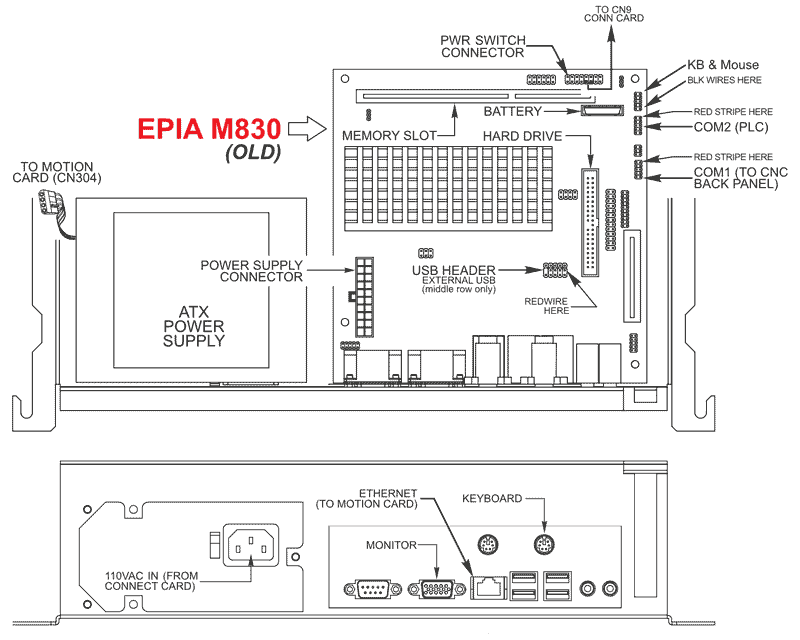
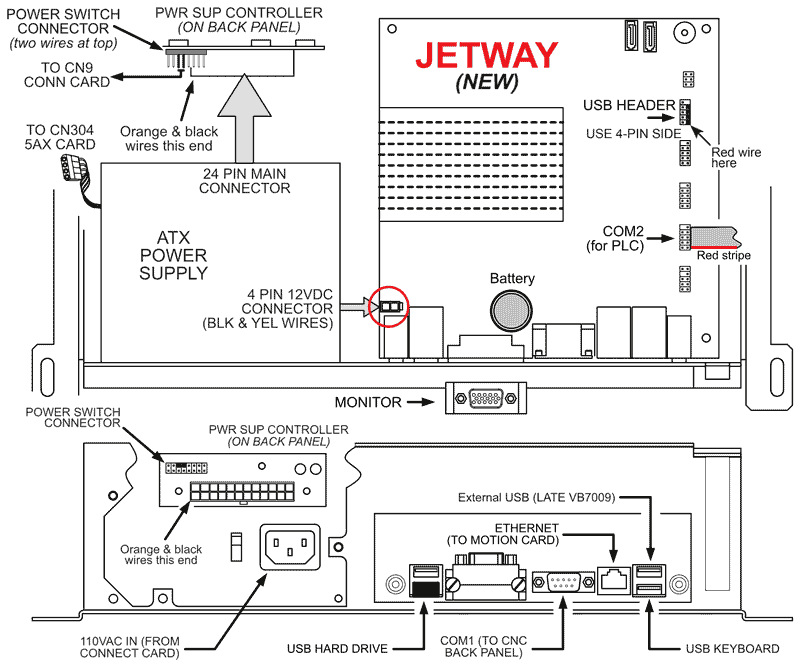
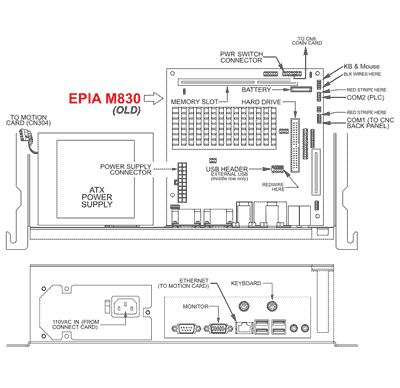
The drawings below illustrate the two motherboard, viewed from the top and from the back.
- HARD DRIVE: The JetWay motherboard ships with a USB hard drive pre-installed, configured for your system. Copy your programs from your backup to C:\PROGRAMS folder (directory).
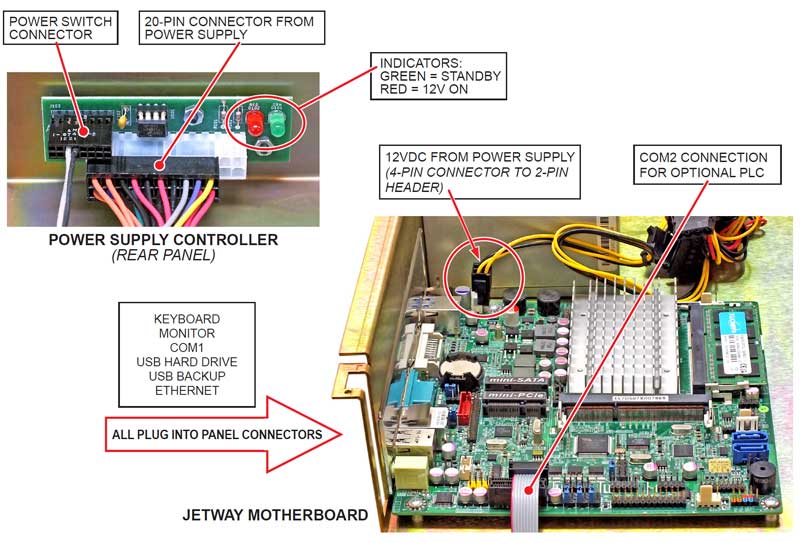
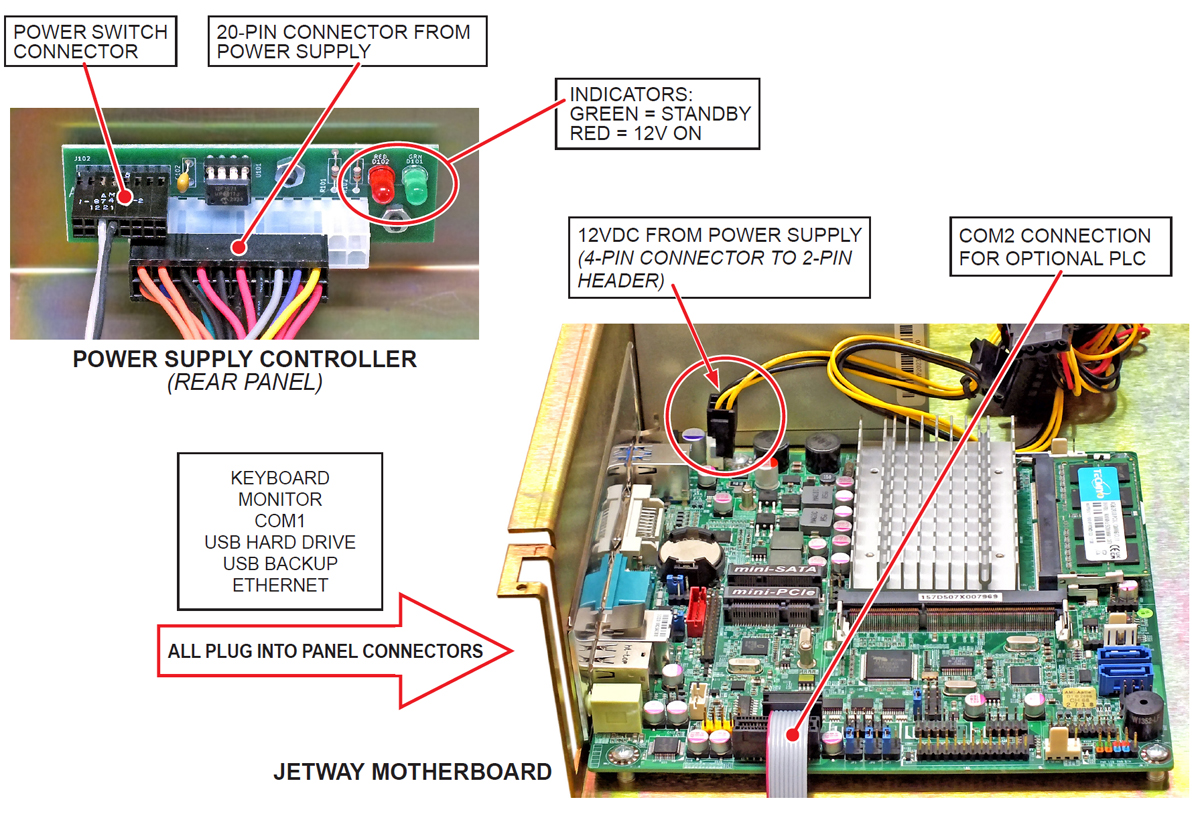
- POWER SUPPLY TO MOTHERBOARD: Find the 4-conductor connector that has two black and two yellow wires, and connect that to the 4-pin 12VDC connector on mb.
- POWER SUPPLY TO POWER SUPPLY CONTROLLER: Plug the 20-pin connector into the 24-pin power supply controller mounted on the back panel with the orange and brown wires at far left.
- PWR SWITCH CONNECTOR: Move power switch connector from motherboard to power supply controller (two wires at top).
- COM1: The JetWay ships with a new COM1 cable. Remove the old cable and route the new one to the back panel.
- COM2: The JetWay ships with a new COM2 cable. If you have ribbon cable at COM2 (PLC), replace that cable with included COM2 PLC cable.
- USB HEADER: If you have USB header on motherboard, connect the header in same orientation, with red wire toward front. Use outboard 4-pin side of header.
- KEYBOARD: JetWay only suports USB keyboard. Examine your keyboard connection; you may have USB keyboard with PS2 adapter. If so, remove the adapter; if not you must order USB keyboard.
Epia M830 MB (Click to enlarge)
Jetway MB (Click to enlarge)
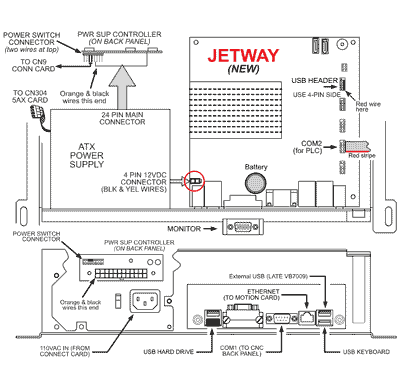
Jetway MB (Click to enlarge)