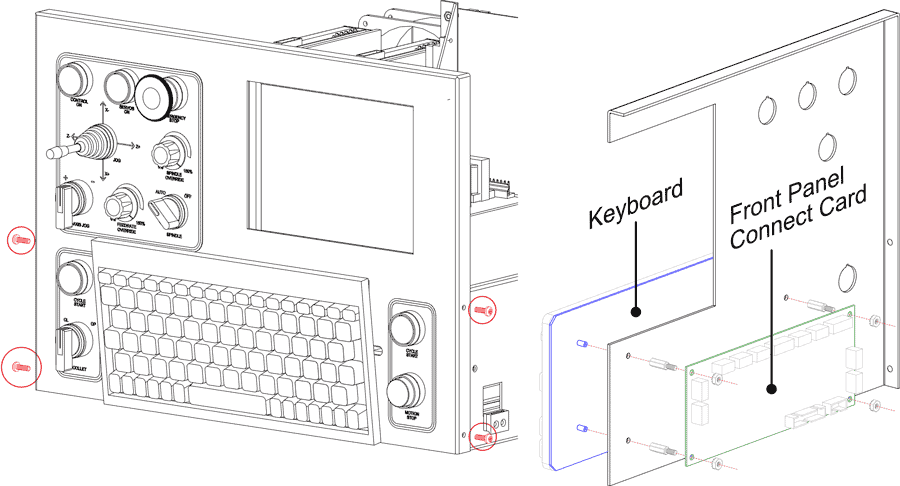
Remove the front panel; two flat head screws on each side may be hidden by the felt gasket.
The keyboard is attached to the front panel with four 8-32 studs that are held by standoffs which support the front panel connect card.
To replace the keyboard, remove the 8-33 nuts which hold the front panel connect card, then remove the standoffs.
It is not necessary to remove any of the cables connected to the card.
The keyboard cable routes through the grommeted hole in the front panel.