Ctrl-E Diagnostic Screen
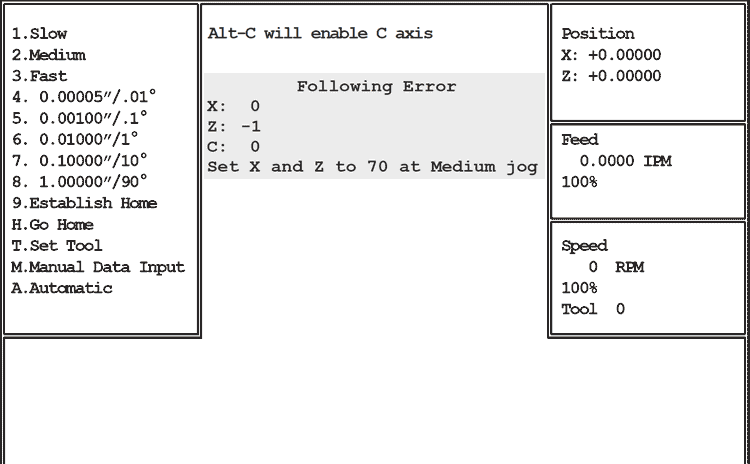
Use Ctrl-E if your OmniTurn occasionally throws a servo error, especially between tool calls: one of the servo amplifiers may need to be readjusted.
Ctrl-E Diagnostic Screen
Pressing Ctrl-E in Jog Mode enables display of the Following Error. At rest, both X and Z should show Following Error between -1 and +1. Press the 2 key (Medium Jog), and jog the slide back and forth in each axis. The Following Error should be between 65 and 75 while jogging.
NOTE: The polarity of the number will change (±) depending on the direction.
If the numbers at rest are not 0 ±1, you must readjust the servo amplifier Balance and the motion card Zero. If the numbers while jogging are not 70 ±5, you must readjust the servo amplifier Signal Gain and Tach.